
So You Want To Be A Scout
What’s their function?
Scouts are the base for the hunt train community! They scout each zone for the 2 “A Ranks” and mark them on a map, so the conductor can easily place flags for those coordinates when preparing trains.
OVERVIEW – THE PROCESS AND TOOLS USED FOR SCOUTING
Faloop! Discord
*Be sure to read our Getting Started guide if you aren’t already setup with permissions on Faloop!
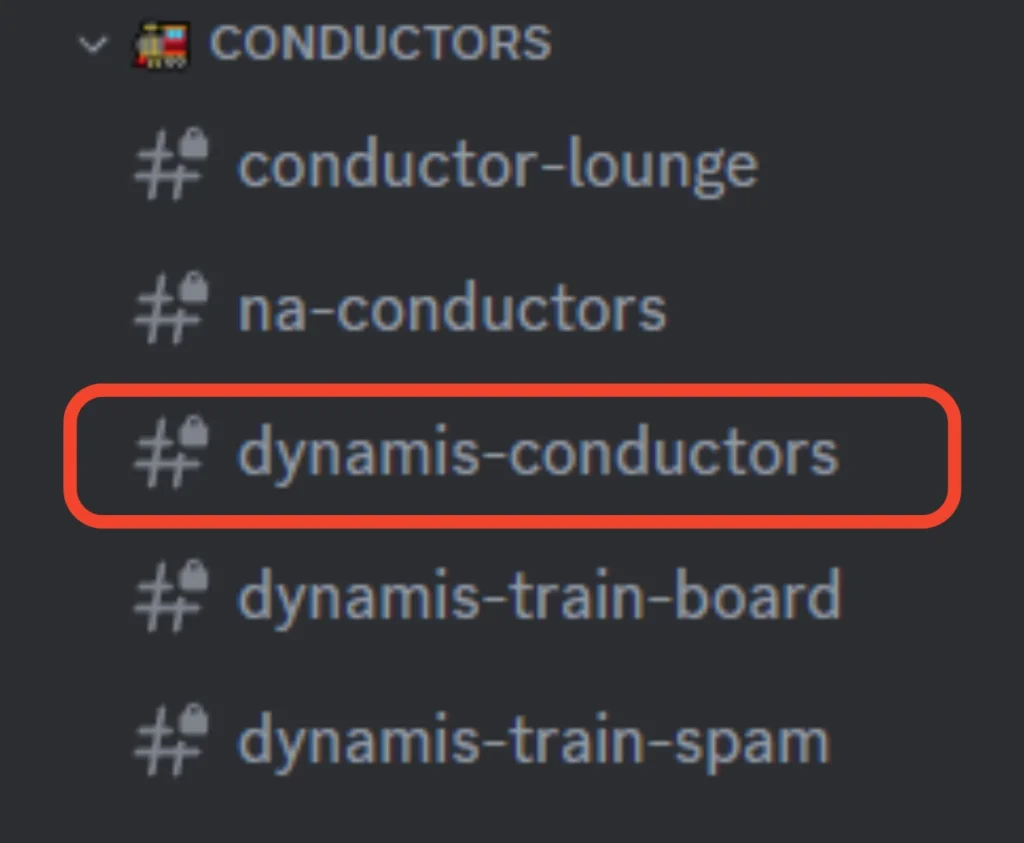
The Conductors channel (dynamis-conductors) serves as a place for scouts and conductors to coordinate their work so that they don’t duplicate efforts on the same task.
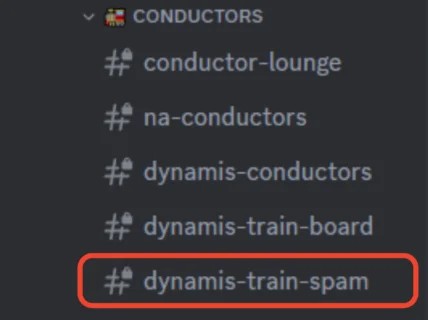
Scouts use the dynamis-train-spam channel to post the links to the scouts they have completed. Conductors will pick up the scouts from that channel when they are ready to roll.
Faloop! (website)
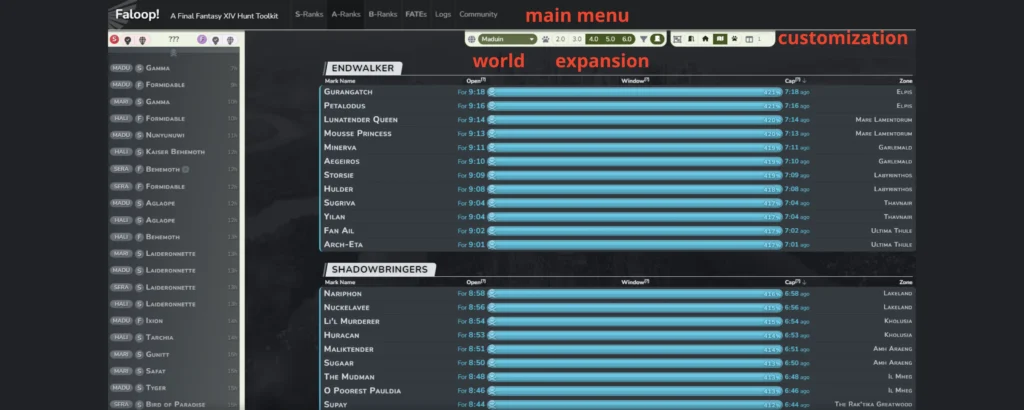
This is the whole database behind hunt trains, special fates, and S Ranks. It’s vital for the community to keep this information up to date to ensure the timers are accurate.
Prime Hunt Tools Scouting Map (website)
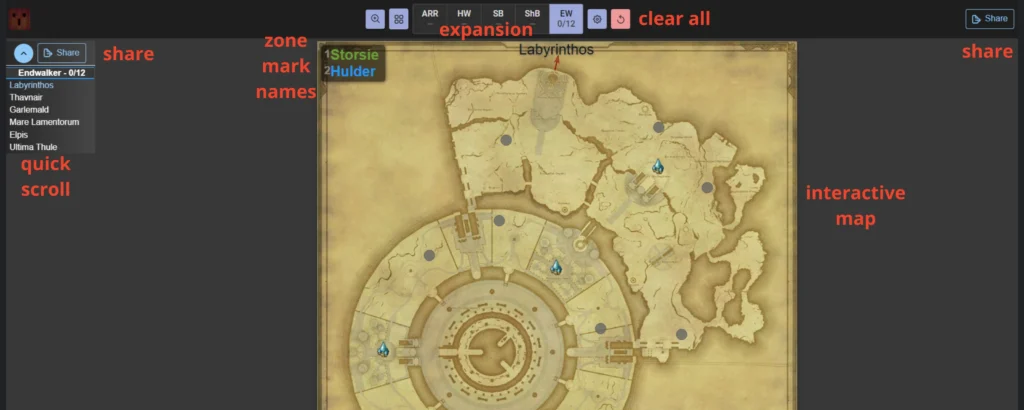
This is the tool that scouts use to track the hunt marks they locate. This tool creates a shared link that can be posted into the Faloop discord and shared with the conductors there!
LET’S GET STARTED
To start your scouting duties there’s a couple steps you have to follow:
- Check the dynamis-train-spam channel for unscouted worlds/expansions first to be sure you aren’t scouting something that has already been scouted during the most recent uptime window.
- Check Faloop A Rank timers for that particular world and expansion to confirm the majority of marks are at cap and not in a state of despawn. To determine this, you’ll want to refer to the time listed in the “Open” column, and confirm that the bars are all blue (a green bar means the mark is still in respawn and may not be up just yet).
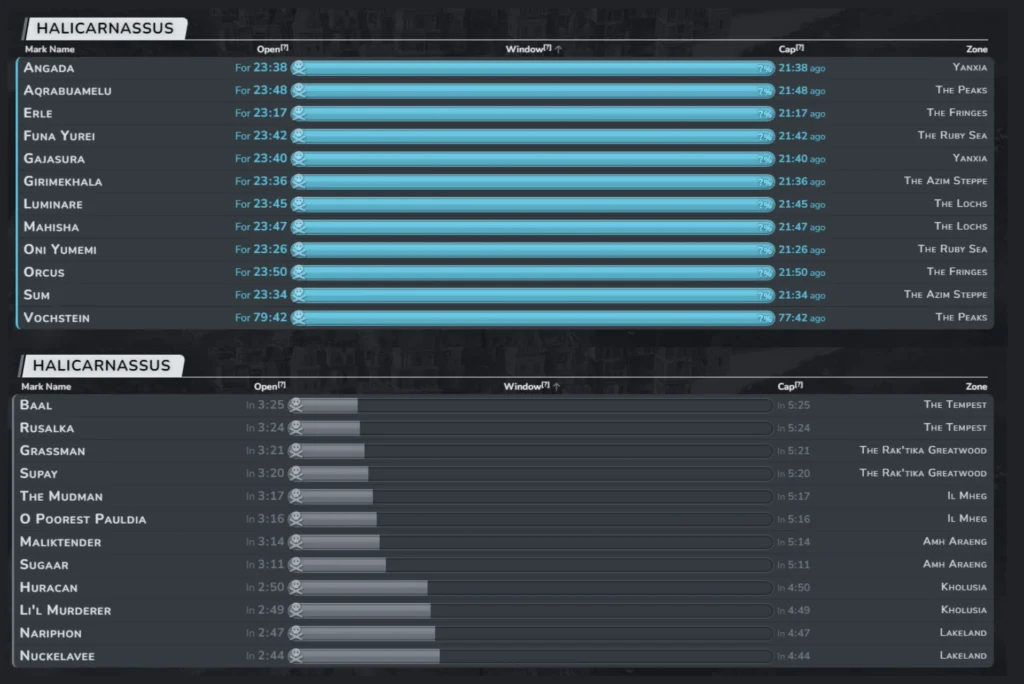
Reference the table below where you can see which timers correspond to when marks should be 100% capped and/or if they are in a despawn or respawn condition.
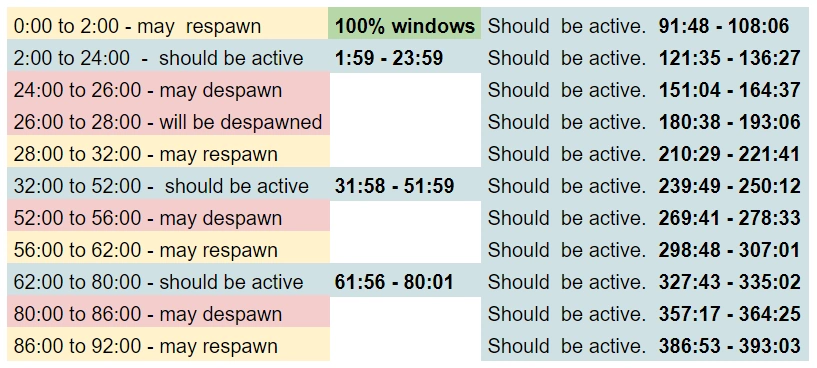
Credit to Leloryn Thertecay (Seraph) / Cillien Temperlain (Maduin)
- Once you’re sure the marks are up and should be up for a decent amount of time (for example, it’s best not to scout something that will go into despawn within 30 minutes unless you have a conductor specifically saying they will immediately run the train you scout), announce to your fellow scouts and conductors in the Conductors Channel your intentions to scout so that no one else starts working on the same map.
- Once that’s decided, you’ll head to the scouting map where you’ll be able to mark the A Ranks as you find them. (As a side note, you can also create an echo log of each mark’s flag so that you can easily send these flags in-game to a conductor if you know someone is going to be running the train right away. See this link for info on how to create an echo log!)
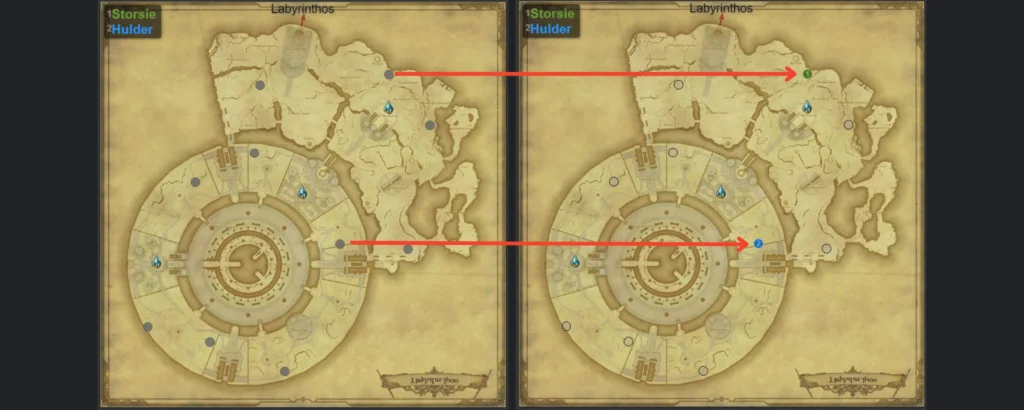
- On these maps you’ll see the gray dots as possible spawning points for the marks. Your main task is to fly to these spots and visually confirm if the mark is there. If a mark is present there, click the gray dot until the correct number appears corresponding to the name of the mark as shown in the upper left corner. In the instance that a mark is missing (either because it got sniped or it despawned), you just have to leave the dots blank for that one.
- Once you’re finished with all the maps for that expansion, click the “SHARE” button either on the top left or top right. This will automatically copy the link for this map to your clipboard, which is necessary for the last step.
- Paste the link into the dynamis-train-spam channel and post it!
*Prime Hunt Tools scout map works on mobile devices in case you don’t have access to a computer!
Congratulations, you’ve completed your first scout!
SIDE QUESTS

Reset Timers
In the case a mark is missing during a train, conductors will usually call it out in the Conductors Channel. Afterwards, the best option might be to try to bring the timers back together as close as we can by tracking down said missing mark(s) and killing it to reset the timer and obtain a known time of death (since if it is sniped, we actually have no idea of what the real timer is). This isn’t something we typically do with the current expac marks due to the number of people required to kill them, but for previous expacs, organized cleanups like this may happen, especially if the marks are found within a close time to the end of the last train.
When we do this, we want to take into consideration that marks are on cooldown for 4 hours after a kill and may take up to another 2 hours after that to respawn. If the previously missing mark is up and all the others are also already back up–it’s probably best to run a full train instead!
B-Sciencing
So far we’ve learned how the scout and conductor roles interact, but as a scout, you can also help out the S-rank Spawners!
When an S-Rank dies, it will immediately reserve its next spawn location and no other hunt mark will be allowed to spawn there until the S-Rank has made its next appearance. This means we can go around marking the sightings of A-Ranks and B-Ranks across the map, knowing that the S will not spawn in those locations. Eventually, we’ll narrow it down so far that we know the single location for the next S-Rank spawn.
During your scouts, you can input the information for the marks you find (including B Ranks) in the B Rank tab in Faloop.
To do this, you’ll open any of the B Ranks from that area on the correct world (it does not matter which B rank), and mark the location in which you have spotted either A or B Ranks. We are pretending that the A ranks are B ranks for this purpose, since this map is ONLY used to determine the S rank’s spawn location.
This practice is referred internally as “b-sciencing”.
While this is helpful for any zone, it is vital to do for the following zones which have S-Ranks that require actions to occur on their spawn location:
The Azim Steppe —> Orghana
Yanxia —> Gamma
Amh Araeng —> Tarchia
Il Mheg —> Aglaope
Labyrinthos —> Burfurlur the Canny
Garlemald —> Armstrong
Ultima Thule —> Narrow-Rift
Kozama’uka —> Ihnuxokiy
Living Memory —> The Forecaster
For an extended explanation of why this is important, please refer to the Spawner Guide.